> ## Documentation Index
> Fetch the complete documentation index at: https://docs.synehq.com/llms.txt
> Use this file to discover all available pages before exploring further.
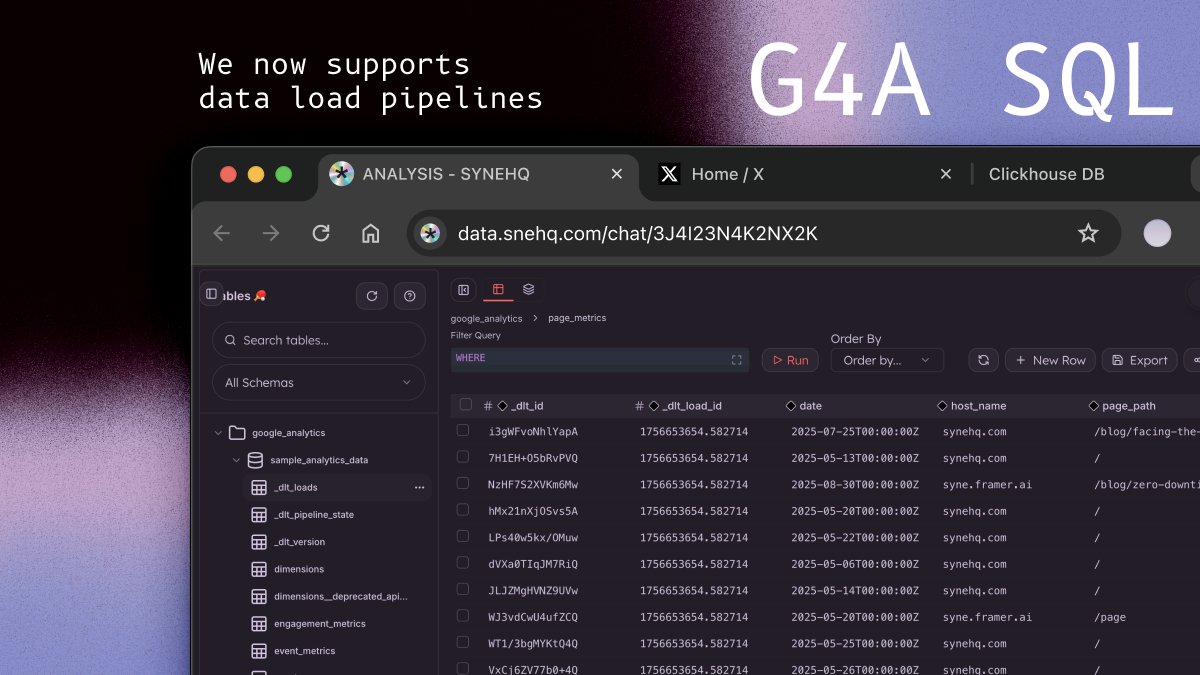
# GA4 SQL: Query Google Analytics 4 with Standard SQL
> Query your GA4 data using standard SQL syntax. Transform analytics insights into actionable data queries.
**Google Analytics 4 SQL Bridge** - Query your GA4 data using standard SQL syntax. Transform analytics insights into actionable data queries.
## Overview
The GA4 SQL Driver allows you to query your Google Analytics 4 property using familiar SQL syntax. This integration transforms GA4's Data API into a SQL-queryable interface, making it easy to analyze your analytics data alongside other databases.
## Quick Start
### 1. Set up Google Service Account
**Add our service account email as a Viewer to your GA4 property (find email below)**
**[data-team@synehq.iam.gserviceaccount.com](mailto:data-team@synehq.iam.gserviceaccount.com)**
### 2. Connect SyneHQ to your GA4 Property
Navigate to [Add Connections](https://data.synehq.com/connections)
#### 3. Run Your First Query
```sql theme={"system"}
-- Explore available data
SELECT * FROM ga4
WHERE date BETWEEN '2024-01-01' AND '2024-01-07'
LIMIT 5;
-- Get top countries by user count
SELECT country, totalUsers, sessions
FROM ga4
WHERE date BETWEEN '2024-01-01' AND '2024-01-31'
GROUP BY country
ORDER BY totalUsers DESC
LIMIT 10;
```
#### Finding Your Property ID
Your GA4 Property ID is the numeric ID (not the Measurement ID starting with G-):
1. Go to GA4 Admin > Property Settings
2. Copy the **Property ID** (numeric, e.g., `123456789`)
### SQL Syntax Reference
#### Supported SQL Subset
The GA4 driver supports a focused SQL subset optimized for analytics queries:
```sql theme={"system"}
SELECT
FROM ga4
[WHERE date BETWEEN 'YYYY-MM-DD' AND 'YYYY-MM-DD'
[AND = 'value' ...]]
[GROUP BY ]
[ORDER BY [ASC|DESC]]
[LIMIT N [OFFSET M]]
```
#### Field Types
* **Dimensions**: Categorical data (country, deviceCategory, source, etc.)
* **Metrics**: Numerical data (totalUsers, sessions, revenue, etc.)
#### Metric Prefixing
Metrics can be prefixed with `m:` for clarity (optional):
```sql theme={"system"}
-- Both are equivalent:
SELECT country, totalUsers FROM ga4;
SELECT country, m:totalUsers FROM ga4;
```
#### Date Filtering
Date filtering is **required** for data queries:
```sql theme={"system"}
-- Required date range
WHERE date BETWEEN '2024-01-01' AND '2024-01-31'
-- Combined with other filters
WHERE date BETWEEN '2024-01-01' AND '2024-01-31'
AND country = 'United States'
AND deviceCategory = 'mobile'
```
### Discovery Commands
Explore available data with these special SQL commands:
#### List Available Fields
```sql theme={"system"}
-- List all dimensions
LIST DIMENSIONS;
-- List all metrics
LIST METRICS;
-- List both dimensions and metrics
LIST FIELDS;
-- Limit results
LIST DIMENSIONS LIMIT 10;
```
#### Schema Exploration
```sql theme={"system"}
-- Show databases
SHOW DATABASES;
-- Show schemas
SHOW SCHEMAS;
-- Show tables
SHOW TABLES;
-- Describe the ga4 table
DESCRIBE ga4;
DESC TABLE ga4;
```
### Query Examples
#### Basic Analytics
```sql theme={"system"}
-- Daily active users over time
SELECT date, activeUsers, newUsers
FROM ga4
WHERE date BETWEEN '2024-01-01' AND '2024-01-31'
ORDER BY date;
-- Top traffic sources
SELECT source, medium, totalUsers, sessions
FROM ga4
WHERE date BETWEEN '2024-01-01' AND '2024-01-31'
GROUP BY source, medium
ORDER BY totalUsers DESC
LIMIT 10;
```
#### Device & Technology Analysis
```sql theme={"system"}
-- Device category breakdown
SELECT deviceCategory, operatingSystem, activeUsers, bounceRate
FROM ga4
WHERE date BETWEEN '2024-01-01' AND '2024-01-31'
AND country = 'United States'
GROUP BY deviceCategory, operatingSystem
ORDER BY activeUsers DESC;
-- Browser performance
SELECT browser, browserVersion, totalUsers, engagementRate
FROM ga4
WHERE date BETWEEN '2024-01-01' AND '2024-01-31'
GROUP BY browser, browserVersion
HAVING totalUsers > 100
ORDER BY engagementRate DESC;
```
#### Geographic Analysis
```sql theme={"system"}
-- Country performance
SELECT country, region, totalUsers, sessions, engagementRate
FROM ga4
WHERE date BETWEEN '2024-01-01' AND '2024-01-31'
GROUP BY country, region
ORDER BY totalUsers DESC
LIMIT 20;
-- City-level analysis
SELECT city, country, activeUsers, averageSessionDuration
FROM ga4
WHERE date BETWEEN '2024-01-01' AND '2024-01-31'
AND country IN ('United States', 'Canada', 'United Kingdom')
GROUP BY city, country
ORDER BY activeUsers DESC;
```
#### Page Performance
```sql theme={"system"}
-- Top pages by views
SELECT pagePath, pageTitle, screenPageViews, uniquePageviews
FROM ga4
WHERE date BETWEEN '2024-01-01' AND '2024-01-31'
GROUP BY pagePath, pageTitle
ORDER BY screenPageViews DESC
LIMIT 15;
-- Landing page analysis
SELECT landingPage, totalUsers, bounceRate, engagementRate
FROM ga4
WHERE date BETWEEN '2024-01-01' AND '2024-01-31'
GROUP BY landingPage
ORDER BY totalUsers DESC;
```
#### Campaign Analysis
```sql theme={"system"}
-- Campaign performance
SELECT campaignName, source, medium, totalUsers, conversions, totalRevenue
FROM ga4
WHERE date BETWEEN '2024-01-01' AND '2024-01-31'
AND campaignName IS NOT NULL
GROUP BY campaignName, source, medium
ORDER BY totalRevenue DESC;
-- Channel performance
SELECT sessionDefaultChannelGroup, activeUsers, sessions, engagementRate
FROM ga4
WHERE date BETWEEN '2024-01-01' AND '2024-01-31'
GROUP BY sessionDefaultChannelGroup
ORDER BY activeUsers DESC;
```
#### E-commerce Analysis
```sql theme={"system"}
-- Revenue by source
SELECT source, medium, totalRevenue, ecommercePurchases,
totalRevenue / ecommercePurchases as avgOrderValue
FROM ga4
WHERE date BETWEEN '2024-01-01' AND '2024-01-31'
AND totalRevenue > 0
GROUP BY source, medium
ORDER BY totalRevenue DESC;
-- Product performance
SELECT itemName, itemCategory, itemRevenue, itemsPurchased
FROM ga4
WHERE date BETWEEN '2024-01-01' AND '2024-01-31'
AND itemName IS NOT NULL
GROUP BY itemName, itemCategory
ORDER BY itemRevenue DESC;
```
#### Event Analysis
```sql theme={"system"}
-- Top events
SELECT eventName, eventCount, totalUsers
FROM ga4
WHERE date BETWEEN '2024-01-01' AND '2024-01-31'
GROUP BY eventName
ORDER BY eventCount DESC
LIMIT 10;
-- Event funnel analysis
SELECT eventName, deviceCategory, eventCount,
eventCount / totalUsers as eventsPerUser
FROM ga4
WHERE date BETWEEN '2024-01-01' AND '2024-01-31'
AND eventName IN ('page_view', 'scroll', 'click', 'purchase')
GROUP BY eventName, deviceCategory
ORDER BY eventName, eventsPerUser DESC;
```
### Field Reference
#### Common Dimensions
| Field | Description |
| ---------------------------- | ------------------------------------- |
| `date` | Date in YYYY-MM-DD format |
| `country` | User's country |
| `region` | User's region/state |
| `city` | User's city |
| `deviceCategory` | Device type (desktop, mobile, tablet) |
| `operatingSystem` | Operating system |
| `browser` | Browser name |
| `source` | Traffic source |
| `medium` | Traffic medium |
| `campaignName` | Campaign name |
| `sessionDefaultChannelGroup` | Default channel grouping |
| `pagePath` | Page path |
| `pageTitle` | Page title |
| `eventName` | Event name |
#### Common Metrics
| Field | Description |
| ------------------------ | --------------------------- |
| `totalUsers` | Total number of users |
| `activeUsers` | Number of active users |
| `newUsers` | Number of new users |
| `sessions` | Number of sessions |
| `engagedSessions` | Number of engaged sessions |
| `engagementRate` | Engagement rate percentage |
| `bounceRate` | Bounce rate percentage |
| `screenPageViews` | Number of page/screen views |
| `averageSessionDuration` | Average session duration |
| `conversions` | Number of conversions |
| `totalRevenue` | Total revenue |
| `eventCount` | Number of events |
#### Discovery Commands
```sql theme={"system"}
-- Get complete field lists
LIST DIMENSIONS; -- All available dimensions
LIST METRICS; -- All available metrics
LIST FIELDS; -- Both dimensions and metrics
DESCRIBE ga4; -- Table schema with data types
```
### Best Practices
#### 1. Always Include Date Ranges
```sql theme={"system"}
-- ✅ Good: Always filter by date
SELECT country, totalUsers FROM ga4
WHERE date BETWEEN '2024-01-01' AND '2024-01-31';
-- ❌ Bad: Missing date filter (will fail)
SELECT country, totalUsers FROM ga4;
```
#### 2. Use Appropriate Aggregation
```sql theme={"system"}
-- ✅ Good: Group by dimensions when using metrics
SELECT country, SUM(totalUsers) as users FROM ga4
WHERE date BETWEEN '2024-01-01' AND '2024-01-31'
GROUP BY country;
-- ✅ Good: Use built-in aggregated metrics
SELECT country, totalUsers FROM ga4
WHERE date BETWEEN '2024-01-01' AND '2024-01-31'
GROUP BY country;
```
#### 3. Optimize Query Performance
```sql theme={"system"}
-- ✅ Good: Use specific date ranges
WHERE date BETWEEN '2024-01-01' AND '2024-01-31'
-- ✅ Good: Limit results
LIMIT 100
-- ✅ Good: Filter early
WHERE date BETWEEN '2024-01-01' AND '2024-01-31'
AND country = 'United States'
```
#### 4. Handle GA4 Limitations
```sql theme={"system"}
-- ✅ Good: Respect GA4 cardinality limits
SELECT country, totalUsers FROM ga4
WHERE date BETWEEN '2024-01-01' AND '2024-01-31'
GROUP BY country
LIMIT 1000;
-- ⚠️ Be careful with high-cardinality dimensions
SELECT pagePath, totalUsers FROM ga4
WHERE date BETWEEN '2024-01-01' AND '2024-01-31'
GROUP BY pagePath
LIMIT 100; -- Limit to avoid sampling
```
### Troubleshooting
#### Common Errors
**1. "Field X is not a valid dimension"**
```sql theme={"system"}
-- ❌ Error: Invalid field name
SELECT campaign FROM ga4;
-- ✅ Fix: Use correct field name
SELECT campaignName FROM ga4;
```
**Solution**: Use `LIST DIMENSIONS` to see valid field names.
**2. "User does not have sufficient permissions"**
**Solution**: Ensure your service account has Viewer access to the GA4 property.
**3. "Property not found"**
**Solution**: Verify you're using the correct Property ID (numeric, not Measurement ID).
**4. Missing date range**
```sql theme={"system"}
-- ❌ Error: Missing required date filter
SELECT country, totalUsers FROM ga4;
-- ✅ Fix: Always include date range
SELECT country, totalUsers FROM ga4
WHERE date BETWEEN '2024-01-01' AND '2024-01-31';
```
#### Debugging Tips
1. **Start Simple**: Begin with basic queries and add complexity gradually
2. **Check Field Names**: Use discovery commands to verify field names
3. **Test Date Ranges**: Ensure your date range contains data
4. **Monitor Limits**: Be aware of GA4's sampling and cardinality limits
5. **Check Permissions**: Verify service account access
#### Performance Optimization
1. **Use Shorter Date Ranges** for faster queries
2. **Limit Results** with `LIMIT` clause
3. **Filter Early** with `WHERE` conditions
4. **Avoid High-Cardinality** dimensions when possible
5. **Cache Results** for repeated queries
### Advanced Usage
#### Custom Calculated Fields
```sql theme={"system"}
-- Calculate conversion rate
SELECT source, medium,
conversions,
totalUsers,
(conversions * 100.0 / totalUsers) as conversionRate
FROM ga4
WHERE date BETWEEN '2024-01-01' AND '2024-01-31'
AND totalUsers > 0
GROUP BY source, medium
ORDER BY conversionRate DESC;
-- Calculate revenue per user
SELECT country,
totalRevenue,
totalUsers,
(totalRevenue / totalUsers) as revenuePerUser
FROM ga4
WHERE date BETWEEN '2024-01-01' AND '2024-01-31'
AND totalUsers > 0
GROUP BY country
ORDER BY revenuePerUser DESC;
```
#### Time Series Analysis
```sql theme={"system"}
-- Weekly trends
SELECT
CONCAT(year, '-W', LPAD(week, 2, '0')) as week_label,
SUM(totalUsers) as weekly_users,
SUM(sessions) as weekly_sessions
FROM ga4
WHERE date BETWEEN '2024-01-01' AND '2024-03-31'
GROUP BY year, week
ORDER BY year, week;
-- Month-over-month comparison
SELECT
yearMonth,
totalUsers,
LAG(totalUsers) OVER (ORDER BY yearMonth) as prev_month_users,
((totalUsers - LAG(totalUsers) OVER (ORDER BY yearMonth)) * 100.0 /
LAG(totalUsers) OVER (ORDER BY yearMonth)) as growth_rate
FROM (
SELECT yearMonth, SUM(totalUsers) as totalUsers
FROM ga4
WHERE date BETWEEN '2024-01-01' AND '2024-12-31'
GROUP BY yearMonth
) monthly_data
ORDER BY yearMonth;
```
***
### Getting Help
* **Field Reference**: Use `LIST DIMENSIONS` and `LIST METRICS` commands
* **Schema Info**: Use `DESCRIBE ga4` for table structure
* **GA4 Documentation**: [GA4 Data API Schema](https://developers.google.com/analytics/devguides/reporting/data/v1/api-schema)
* **Error Messages**: Check the `details` field in error responses for specific guidance
Start exploring your GA4 data with SQL today! 🚀
 ## Quick Start
### 1. Set up Google Service Account
**Add our service account email as a Viewer to your GA4 property (find email below)**
## Quick Start
### 1. Set up Google Service Account
**Add our service account email as a Viewer to your GA4 property (find email below)**
 #### 3. Run Your First Query
```sql theme={"system"}
-- Explore available data
SELECT * FROM ga4
WHERE date BETWEEN '2024-01-01' AND '2024-01-07'
LIMIT 5;
-- Get top countries by user count
SELECT country, totalUsers, sessions
FROM ga4
WHERE date BETWEEN '2024-01-01' AND '2024-01-31'
GROUP BY country
ORDER BY totalUsers DESC
LIMIT 10;
```
#### Finding Your Property ID
Your GA4 Property ID is the numeric ID (not the Measurement ID starting with G-):
1. Go to GA4 Admin > Property Settings
2. Copy the **Property ID** (numeric, e.g., `123456789`)
### SQL Syntax Reference
#### Supported SQL Subset
The GA4 driver supports a focused SQL subset optimized for analytics queries:
```sql theme={"system"}
SELECT
#### 3. Run Your First Query
```sql theme={"system"}
-- Explore available data
SELECT * FROM ga4
WHERE date BETWEEN '2024-01-01' AND '2024-01-07'
LIMIT 5;
-- Get top countries by user count
SELECT country, totalUsers, sessions
FROM ga4
WHERE date BETWEEN '2024-01-01' AND '2024-01-31'
GROUP BY country
ORDER BY totalUsers DESC
LIMIT 10;
```
#### Finding Your Property ID
Your GA4 Property ID is the numeric ID (not the Measurement ID starting with G-):
1. Go to GA4 Admin > Property Settings
2. Copy the **Property ID** (numeric, e.g., `123456789`)
### SQL Syntax Reference
#### Supported SQL Subset
The GA4 driver supports a focused SQL subset optimized for analytics queries:
```sql theme={"system"}
SELECT